PONGBOT Nova S Pro vs Omni S Plus vs Halo S Pro: Which to Buy?
Compare three PONGBOT table tennis robots, the table-top Nova S Pro, the clip-on Omni S Plus and the floor-standing Halo S Pro, by setup, oscillation, spin, drills and what's in the box.
Top picks
| Product | Type | Ball capacity | Spin | Oscillation | Drills | Price tier | Link |
|---|---|---|---|---|---|---|---|
| PONGBOT Omni S Plus | TypeClip-on (clamp) serving robot | Ball capacity250 balls | SpinUp to 80 r/s (11 levels); 360° spin | OscillationAutomatic left/right, vertical and side adjustment | Drills198 | Price tier$$ | Affiliate link: we may earn a commission. Disclosure |
| PONGBOT Nova S Pro | TypePortable table-top serving robot | Ball capacity150 balls | SpinUp to 60 r/s (21 levels); 9 spin variations | OscillationManual left/right, vertical and side adjustment | Drills264 | Price tier$ | Affiliate link: we may earn a commission. Disclosure |
| PONGBOT Halo S Pro | TypeFloor-standing serving robot | Ball capacity250 balls | SpinUp to 100 r/s (23 levels); 360° spin | OscillationAutomatic left/right, vertical and side adjustment | Drills702 | Price tier$$$ | Affiliate link: we may earn a commission. Disclosure |
Best overall
PONGBOT Omni S Plus
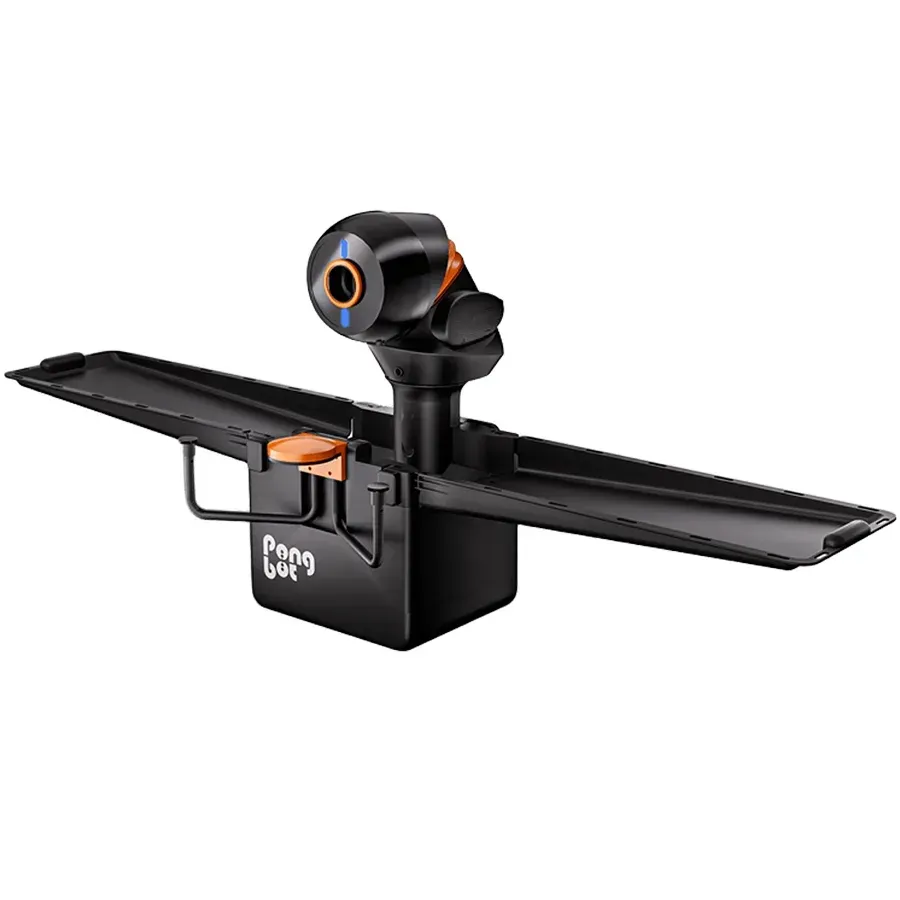
Who it's for: Table tennis players who want a clip-on robot with automatic oscillation and a ball recovery net, without paying for the E-Pad S.
Pros
- Automatic left/right oscillation plus vertical and side adjustment (per PONGBOT)
- 360° spin up to 80 r/s and ball speed 2–15 m/s (per PONGBOT)
- 250-ball capacity with a ball recovery net and net clamps in the box (per PONGBOT)
Cons
- 198 preset drills, fewer than the Omni S Pro's 522 (per PONGBOT)
- No E-Pad S touchscreen; that comes with the Omni S Pro
Key specs
- Type
- Clip-on (clamp) serving robot
- Ball capacity
- 250 balls
- Ball speed
- 2–15 m/s (about 4–34 mph; 11 levels)
- Ball frequency
- 30–90 balls/min (11 levels)
- Spin
- Up to 80 r/s (11 levels); 360° spin
- Oscillation
- Automatic left/right, vertical and side adjustment
- Controls
- App (Bluetooth)
- Drills
- 198
- Power
- Adapter, AC 100–240 V
- Weight
- 9 kg (about 20 lb)
- Size
- 620 × 270 × 330 mm (about 24.4 × 10.6 × 13.0 in)
- In the box
- Omni S Plus, 4 net clamps, ball recovery net
Affiliate link: we may earn a commission. Disclosure
Best budget
PONGBOT Nova S Pro
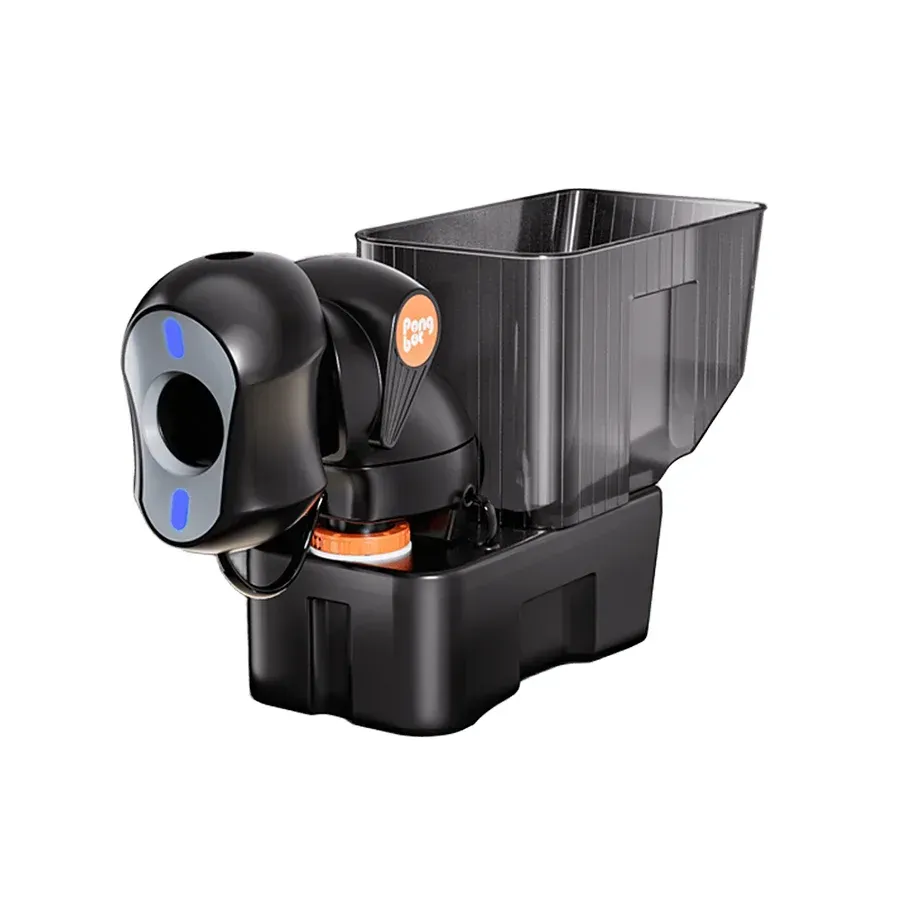
Who it's for: Table tennis players who want a light, portable table-top robot with app or remote control.
Pros
- Light at 4 kg (about 9 lb) and sits on the table, per PONGBOT
- Ball speed 2–15 m/s with 9 spin variations up to 60 r/s (per PONGBOT)
- App or remote control over Bluetooth, with 264 preset drills (per PONGBOT)
Cons
- Oscillation and side adjustment are manual, not automatic (per PONGBOT)
- No ball collection net in the base box; it is a bundle add-on
Key specs
- Type
- Portable table-top serving robot
- Ball capacity
- 150 balls
- Ball speed
- 2–15 m/s (about 4–34 mph)
- Ball frequency
- 30–90 balls/min (11 levels)
- Spin
- Up to 60 r/s (21 levels); 9 spin variations
- Oscillation
- Manual left/right, vertical and side adjustment
- Controls
- App or remote (Bluetooth)
- Drills
- 264
- Power
- Adapter, AC 100–240 V
- Weight
- 4 kg (about 9 lb)
- Size
- 465 × 325 × 176 mm (about 18.3 × 12.8 × 6.9 in)
- In the box
- Nova S Pro, power adaptor, N-Control S
Affiliate link: we may earn a commission. Disclosure
Best premium
PONGBOT Halo S Pro
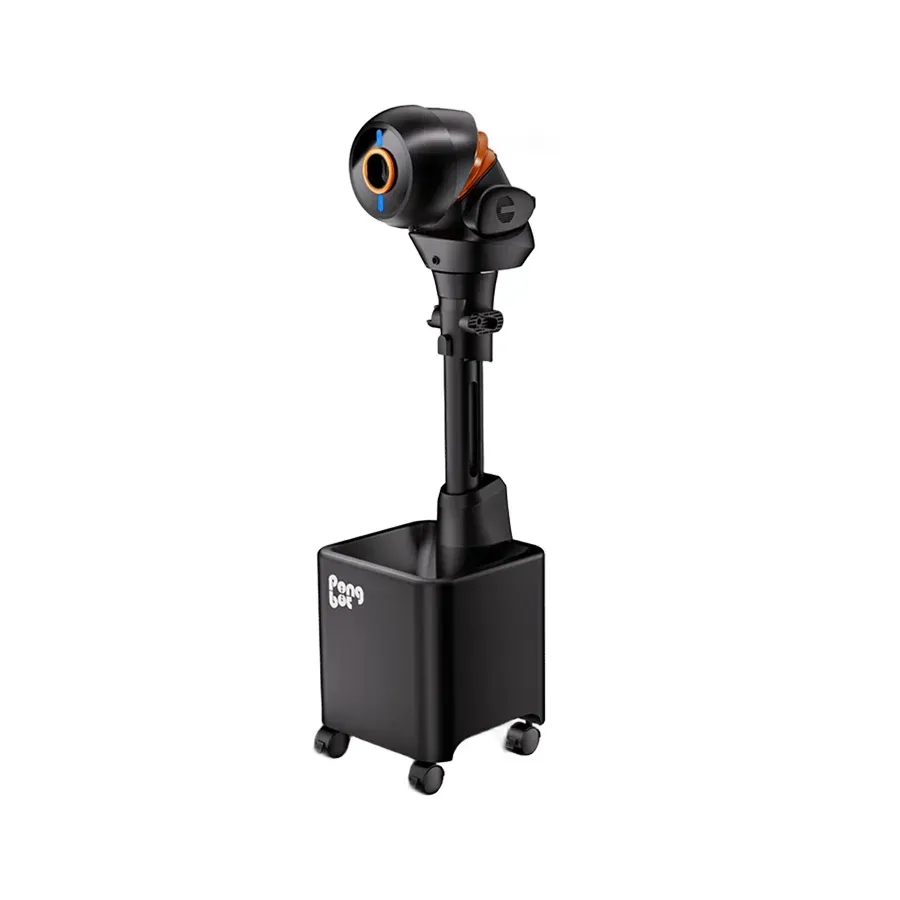
Who it's for: Table tennis players who want a floor-standing robot with automatic oscillation, a ball recovery net and a large preset drill library.
Pros
- Spin up to 100 r/s with 360° spin and a 0.66 s spin switch (per PONGBOT)
- Automatic left/right oscillation plus vertical and side adjustment (per PONGBOT)
- 702 preset drills; 250-ball capacity with a ball recovery net in the box (per PONGBOT)
Cons
- Premium price: $$$ tier
- Floor-standing unit, 11 kg (about 24 lb) and 1,083 mm (about 42.6 in) tall (per PONGBOT)
Key specs
- Type
- Floor-standing serving robot
- Ball capacity
- 250 balls
- Ball speed
- 2–15 m/s (about 4–34 mph; 21 levels)
- Ball frequency
- 30–90 balls/min (11 levels)
- Spin
- Up to 100 r/s (23 levels); 360° spin
- Spin switch
- 0.66 s
- Oscillation
- Automatic left/right, vertical and side adjustment
- Controls
- App or E-Pad S touchscreen (Bluetooth)
- Drills
- 702
- Power
- Adapter, AC 100–240 V
- Weight
- 11 kg (about 24 lb)
- Size
- 320 × 330 × 1083 mm (about 12.6 × 13.0 × 42.6 in)
- In the box
- Halo S Pro, ball recovery net, band, USB-C cord, E-Pad S, screws, screwdriver
Affiliate link: we may earn a commission. Disclosure
Key differences
The comparison table above covers setup type, ball capacity, spin, oscillation and drills. These are the other differences PONGBOT lists for the three robots:
| Nova S Pro | Omni S Plus | Halo S Pro | |
|---|---|---|---|
| Ball recovery net in the box | No (sold as a bundle add-on) | Yes | Yes |
| Controls | App or remote | App (no remote in box)¹ | App or E-Pad S |
| Weight | 4 kg (about 9 lb) | 9 kg (about 20 lb) | 11 kg (about 24 lb) |
| Size | 465 × 325 × 176 mm (about 18.3 × 12.8 × 6.9 in) | 620 × 270 × 330 mm (about 24.4 × 10.6 × 13.0 in) | 320 × 330 × 1083 mm (about 12.6 × 13.0 × 42.6 in) |
¹ PONGBOT’s page mentions a remote, but the In the Box list doesn’t include one.
PONGBOT lists the same ball speed for all three, 2–15 m/s (about 4–34 mph), and the same ball frequency of 30–90 balls per minute.
Which one should you buy?
Pick the Nova S Pro if you want a light, portable robot that sits on the table. It weighs 4 kg (about 9 lb), runs from an app or a remote, and comes with 264 preset drills. Its left/right, vertical and side adjustment are manual, and the ball recovery net is an add-on.
Pick the Omni S Plus if you want automatic oscillation and a ball recovery net in the box without moving up to the top tier. It clamps to the table, holds 250 balls and offers 360° spin up to 80 r/s. It has fewer preset drills than the Nova S Pro (198 versus 264); we still chose it as the best overall because it adds automatic left/right, vertical and side adjustment and includes a ball recovery net, which the Nova S Pro does not.
Pick the Halo S Pro if you want the most spin and the largest drill library of the three: up to 100 r/s with 23 spin levels, a 0.66 s spin switch and 702 preset drills, with the E-Pad S touchscreen and a recovery net in the box. It is a floor-standing unit, 11 kg (about 24 lb) and 1083 mm (about 42.6 in) tall, so plan floor space for it.
How to choose
This page compares three robots from one brand, PONGBOT. It is not a market-wide “best of” list. If you are deciding between these three, start with where the robot will sit: on the table (Nova S Pro), clamped to the table (Omni S Plus) or on the floor (Halo S Pro). Then decide whether you need automatic oscillation, which the Omni S Plus and Halo S Pro have and the Nova S Pro does not, and whether you want a ball recovery net included.
How we researched
This comparison is research-based. We did not test these robots ourselves. Every spec comes from PONGBOT’s own product pages for the Nova S Pro, the Omni S Series (Omni S Plus) and the Halo S Pro, read on September 30, 2026, including their specifications, what is in the box and PONGBOT’s comparison sections.
We picked the overall, budget and premium models from those specs and from each model’s price tier, not from what we may earn. Prices change often, so we show a price tier ($, $$, $$$) instead of a price; check the current price with PONGBOT.
FAQ
What is the difference between the PONGBOT Nova S Pro, Omni S Plus and Halo S Pro?
Mainly how they are set up. The Nova S Pro is a portable table-top robot, the Omni S Plus clamps onto the table, and the Halo S Pro stands on the floor. PONGBOT also lists different ball capacities (150 balls for the Nova S Pro, 250 for the Omni S Plus and Halo S Pro), maximum spin (up to 60, 80 and 100 r/s) and preset drills (264, 198 and 702).
Does the Omni S Plus come with the E-Pad S?
No. On PONGBOT’s Omni S Series page, the E-Pad S comes with the Omni S Pro variant. The Omni S Plus box lists the robot, 4 net clamps and a ball recovery net.
Omni S Plus vs Omni S Pro: what’s the difference?
Both are sold on PONGBOT’s Omni S Series page. PONGBOT lists the Omni S Pro with the E-Pad S, 21 speed levels, spin up to 100 r/s (23 levels) and 522+ preset drills; the AI Coach and E-Pad S drills apply to the Pro only. The Omni S Plus has 11 speed levels, spin up to 80 r/s (11 levels) and 198 preset drills, without the E-Pad S. This page covers the Omni S Plus.
Which PONGBOT robots include a ball recovery net?
The Omni S Plus and the Halo S Pro include a ball recovery net in the box. For the Nova S Pro, PONGBOT sells the ball collection net as a bundle add-on.
Do PONGBOT table tennis robots oscillate automatically?
The Omni S Plus and the Halo S Pro do: PONGBOT lists automatic left/right oscillation with vertical and side adjustment. On the Nova S Pro, left/right, vertical and side adjustment are manual.
How fast do these robots serve?
PONGBOT lists the same range for all three: ball speed of 2–15 m/s (about 4–34 mph) and 30–90 balls per minute.
Last updated · by Home & Outdoor Finds Editorial